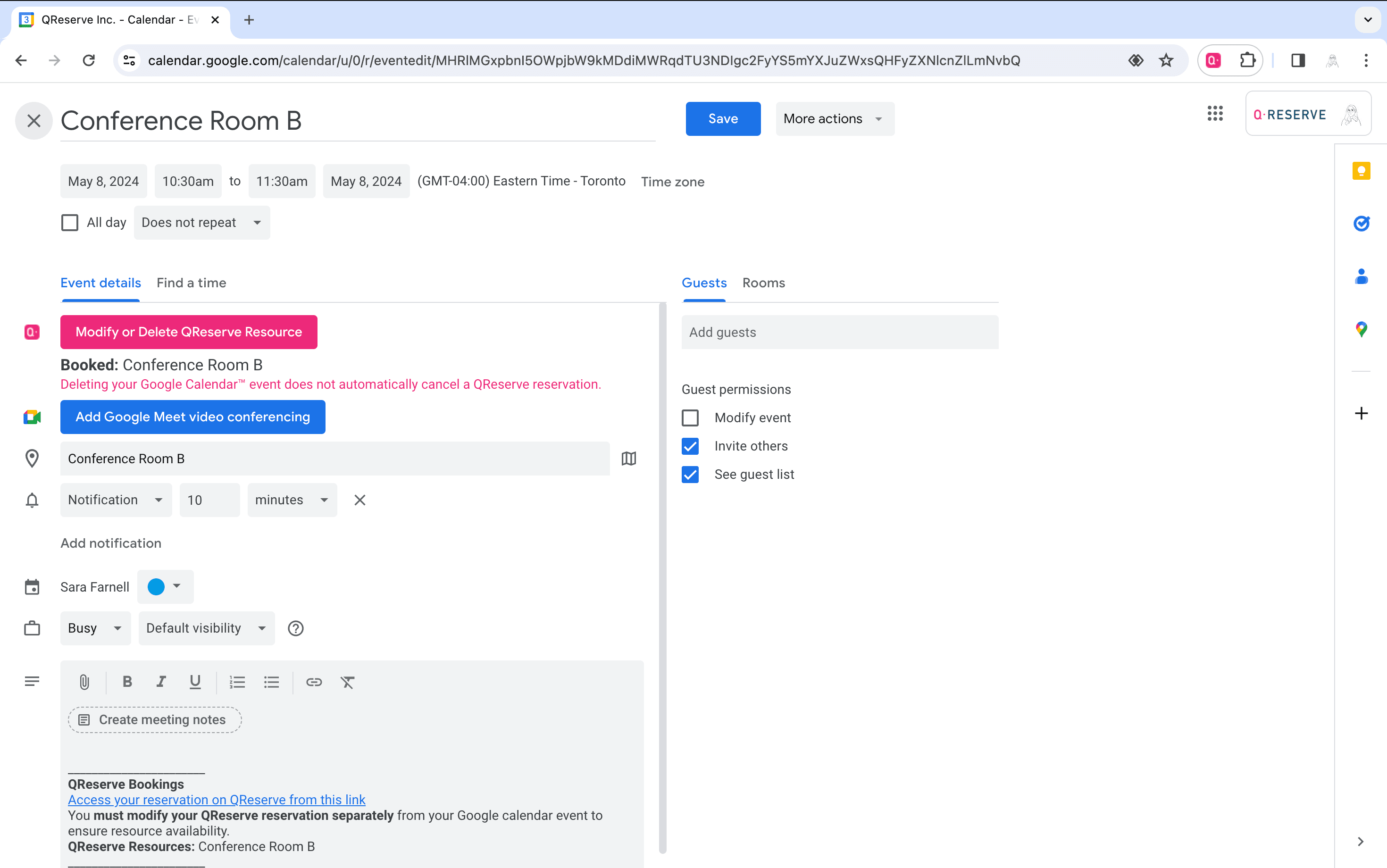
Google Calendar Browser Extension
Easily add your QReserve resources (equipment, locations, services, etc) directly to your event bookings via Google Calendar™.
Install the QReserve for Google Calendar Chrome Extension Here
This extension works with Google Chrome, Chromium, and Microsoft Edge.
How to Use the Browser Extension
Step 1
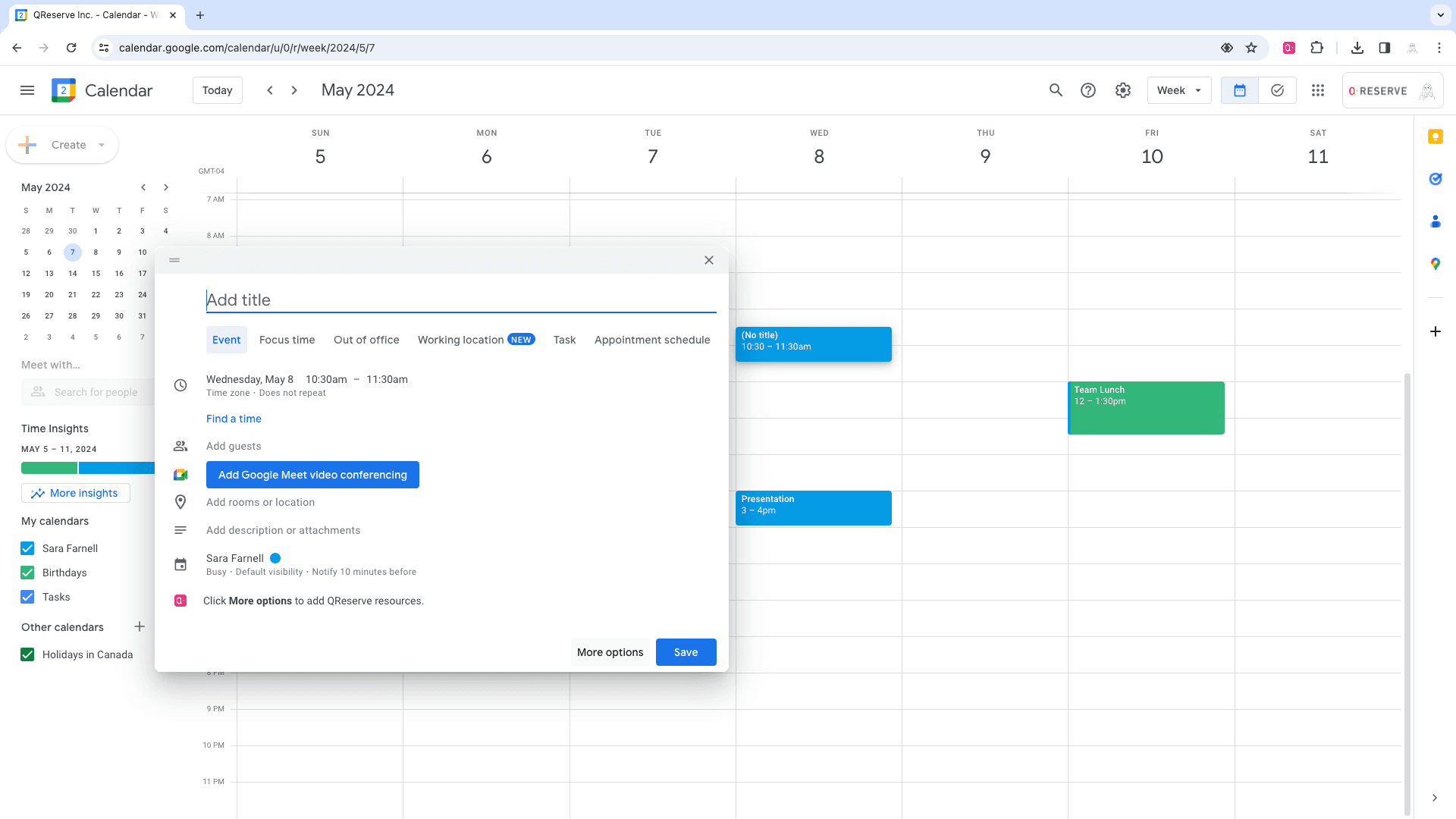
Once the extension is installed in your browser, create a new Google Calendar™ event and choose the “More options” button from your Google Calendar™ booking.
Step 2
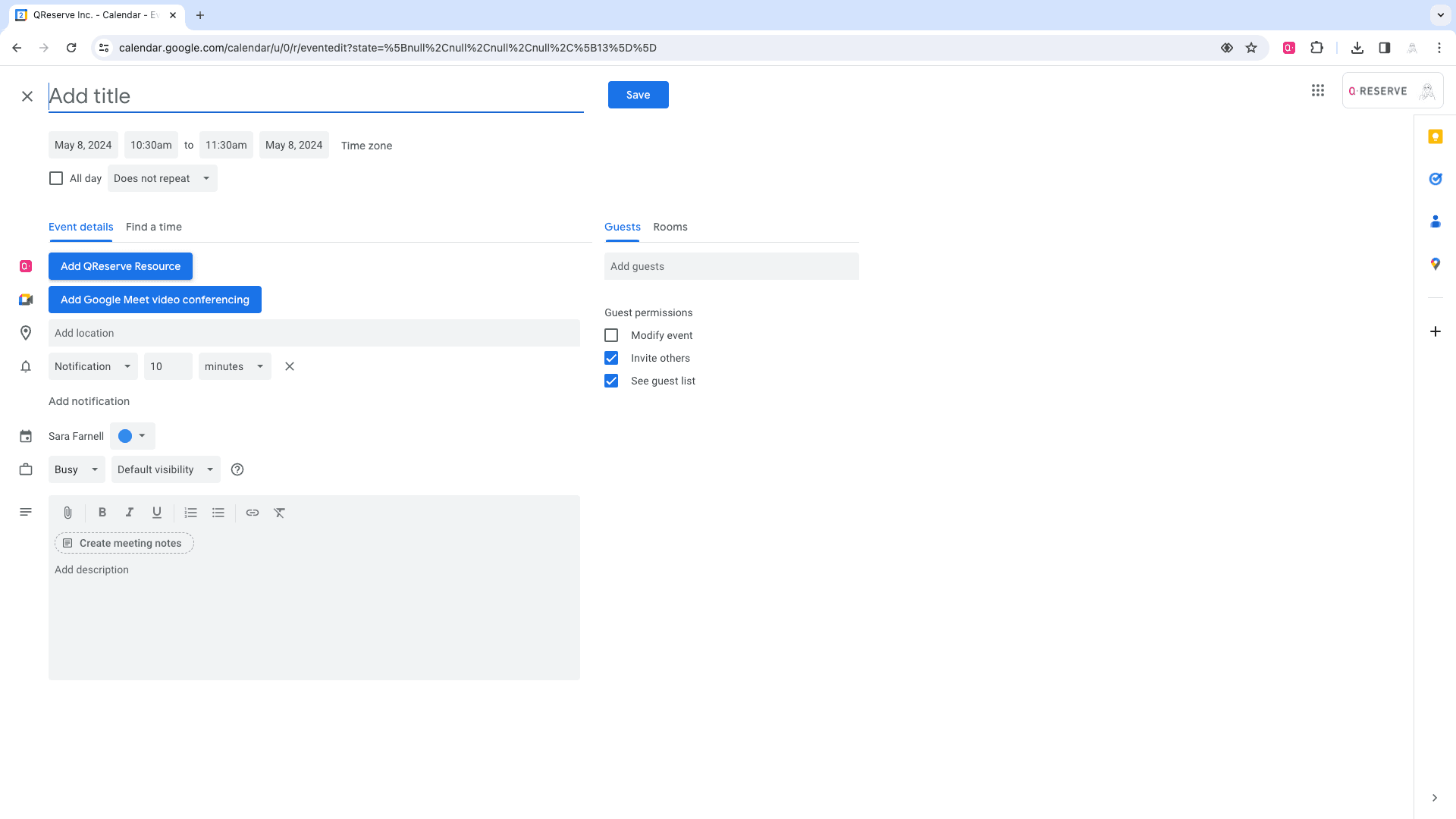
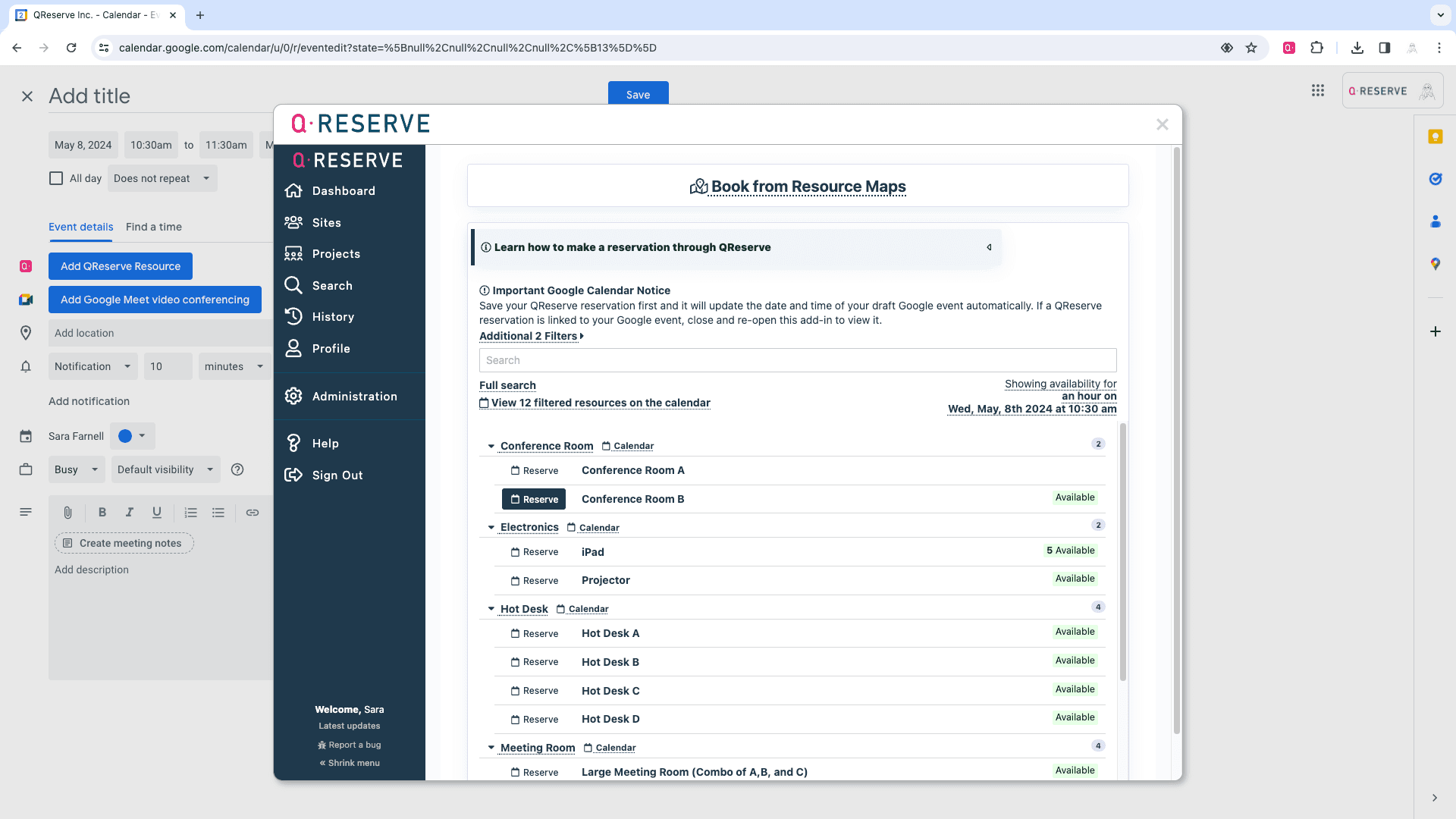
Click the 'Add QReserve Resource' button.
Step 3
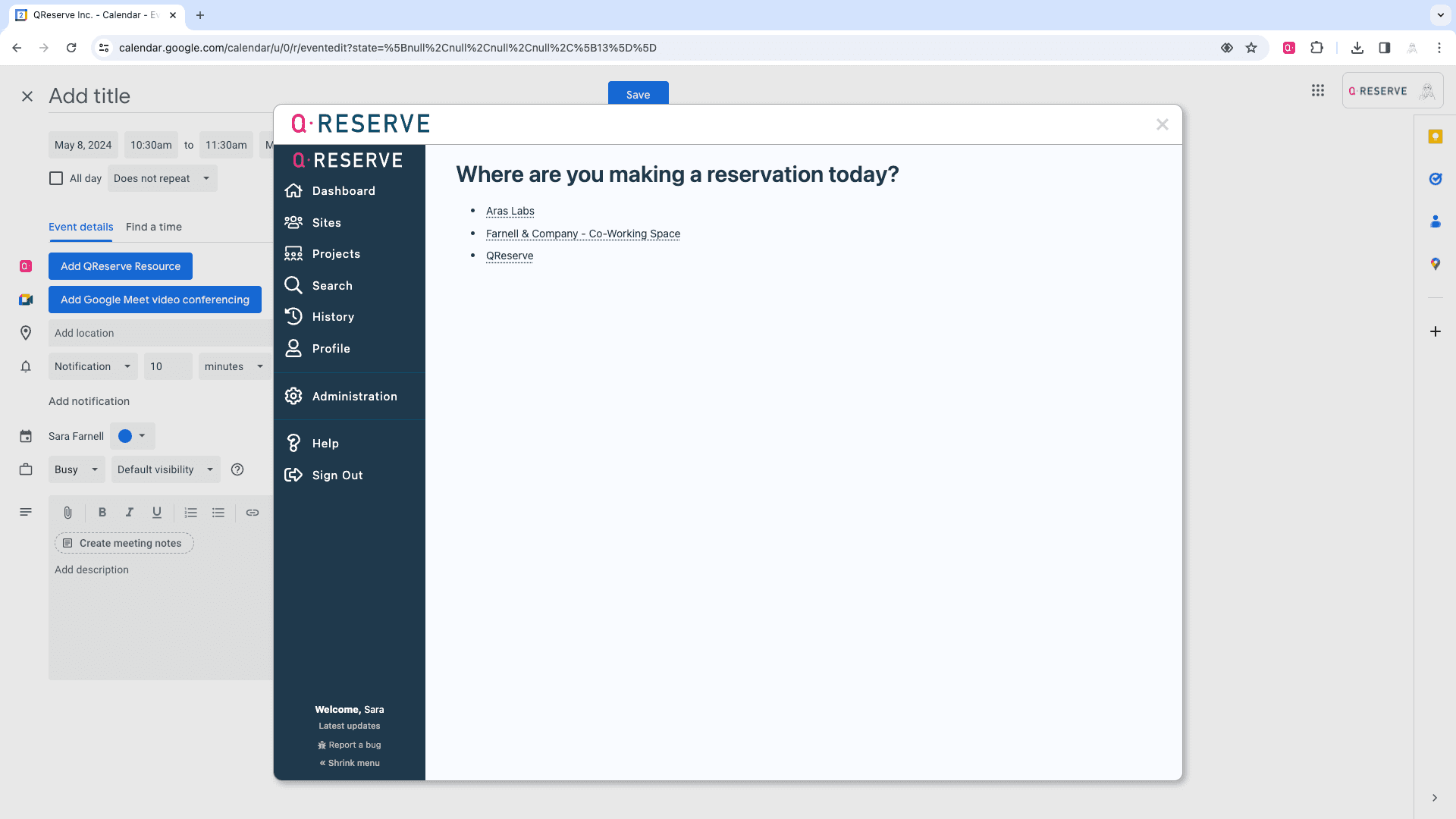
Sign in via the QReserve window and easily access any of your QReserve sites (note you must already have a QReserve account).
Step 4
Select and reserve any QReserve resources that you have access to (equipment, locations, services, etc) - you can book multiple resources at once.
Step 5
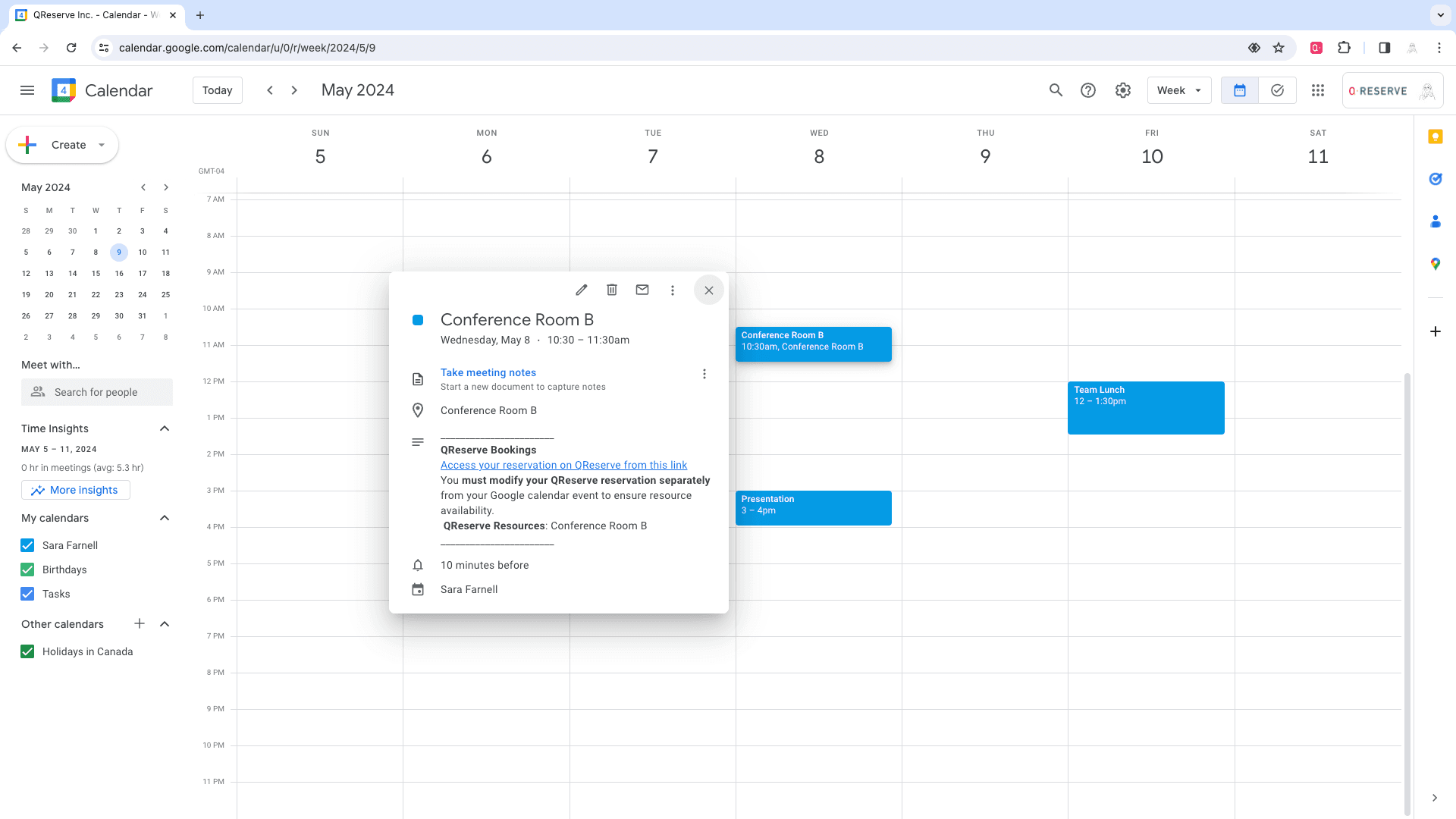
Click save and your reservation is made - in both your Google Calendar™ and in QReserve!
Step 6
Need to make a change? Update and edit a QReserve reservation via your Google Calendar™ event.